

Advanced Pricing for QuickBooks Enterprise
Gain increased control over customizing your own advanced price rules, and apply them to different types of customers, vendors, or items. With greater flexibility in managing your advanced price rules, you’ll be able to edit rules in a timely manner for relevant transactions.
Primary Features
Gain increased control over customizing your own advanced price rules, and apply them to different types of customers, vendors, or items. With greater flexibility in managing your advanced price rules, you’ll be able to edit rules in a timely manner for relevant transactions.
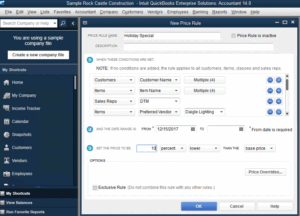
Maximize Advanced Pricing with the ability to set specific conditions for your price rules. The Rule Editor allows you to utilize the drop-down menu to do so.
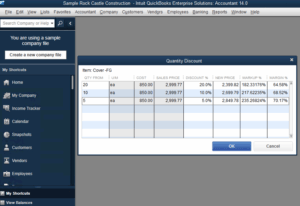
When certain discounts become prevalent during specific times throughout the year, you have the ability to set these discounted items based on the exact desired quantities.
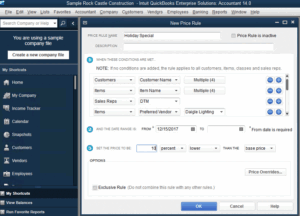
Implement smart conditions for manufacturer markdowns when they occur. With Advanced Pricing, you’ll be able to set the specific conditions and date ranges that apply to each markdown.
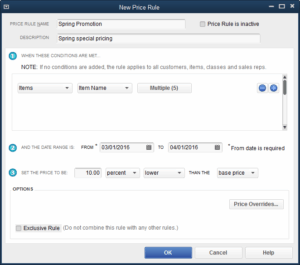
Set and change price rules based on specific classes to better meet your business needs.
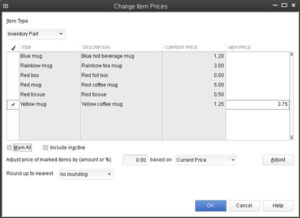
Once you develop your own customized price rules, Advanced Pricing goes one step further and allows you to quickly and efficiently change rules based on your specific needs.
Maintain exclusive price rules by simply checking a box to avoid price rules from intermixing.